Add-ons are optional extras customers buy alongside a booking - towel hire, a sauna hat, a bottle of water, or any retail item. They sit under your price options on the booking page, so a customer can add extras in the same checkout.
Add-ons never take a space: a booking for two spaces plus three towels still uses two spaces of the session's capacity. To sell extra people into a session, use a price option or a group booking instead.
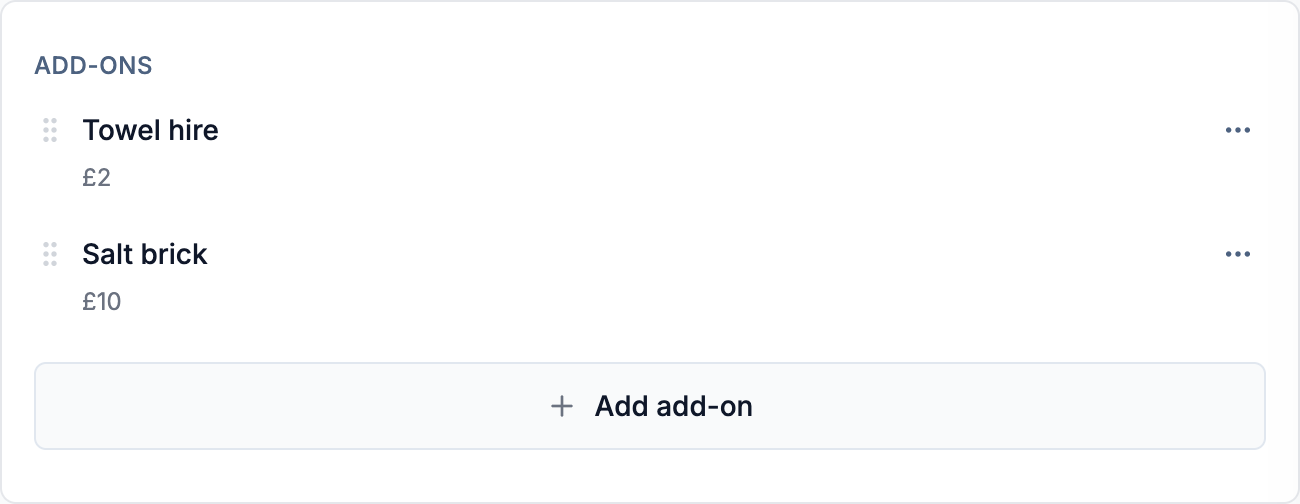
Add an add-on to a session
Add-ons are set per session, and a new session starts with none.
- 1Edit the session on the Sessions page. In the Prices panel, find the Add-ons section and select Add add-on.
- 2Pick from Your add-ons if you already sell the item, or choose Create new, give it a name and price, and save.
To put the same extra on a second session, pick it from Your add-ons. Create new makes a separate product each time, leaving you with identical add-ons to edit and price separately.
Add-on fields
- Name - what the customer sees, like "Towel hire" or "Bottle of water".
- Description - an optional note shown at checkout, with links, lists and basic formatting. Long descriptions are shortened with a More link.
- Image - an optional thumbnail shown next to the add-on.
- Price - what the add-on costs. Enter 0 to offer it for free.
- Maximum per booking - an optional limit on how many a customer can add to one booking. Leave it blank for no limit, or set 1 for items that only make sense once. The system limit is 20 per booking.
To take an add-on off a session, choose Remove from its row's menu in the Prices panel. That only affects that session, and past bookings keep their record. To stop selling it everywhere, remove it from each session that offers it.
What customers see
Each add-on has an Add button. For an item with a maximum of 1, it turns into a tick once selected; otherwise it becomes a quantity stepper. The extras are added to the order total, paid in the same checkout, and show as their own lines on the booking in Bookings.
Add-ons are always charged at face value. A membership's included sessions cover the session, not the add-ons, and amount and percentage discount vouchers apply to the session price only.
Common questions
-
I've ended up with the same add-on several times over. What now? Decide which copy to keep, then remove the spares from each session offering them. If several sessions are affected, get in touch and we can merge them for you, keeping what each session currently charges.
-
Why doesn't my older session show a new add-on I created? Add-ons are never added to other sessions automatically. Open the session and pick the add-on from Your add-ons.
-
Can I charge a different add-on price on one date? Yes. Open that date from the calendar and change the add-on's price in its Prices section - see override a single session.
-
Can staff see what extras a customer ordered? Yes. Add-ons show as their own lines on the booking, so anyone who can see bookings can see what was ordered.