Instead of one-to-one appointments, you sell spaces in a session - several people booking the same slot, up to the real capacity of the room. Session was built by a sauna operator, so the model matches how a sauna actually runs.
You get your own booking page at your own address, where customers browse, book and pay by card, and an admin dashboard where you and your team run sessions, payments, customers and reports.
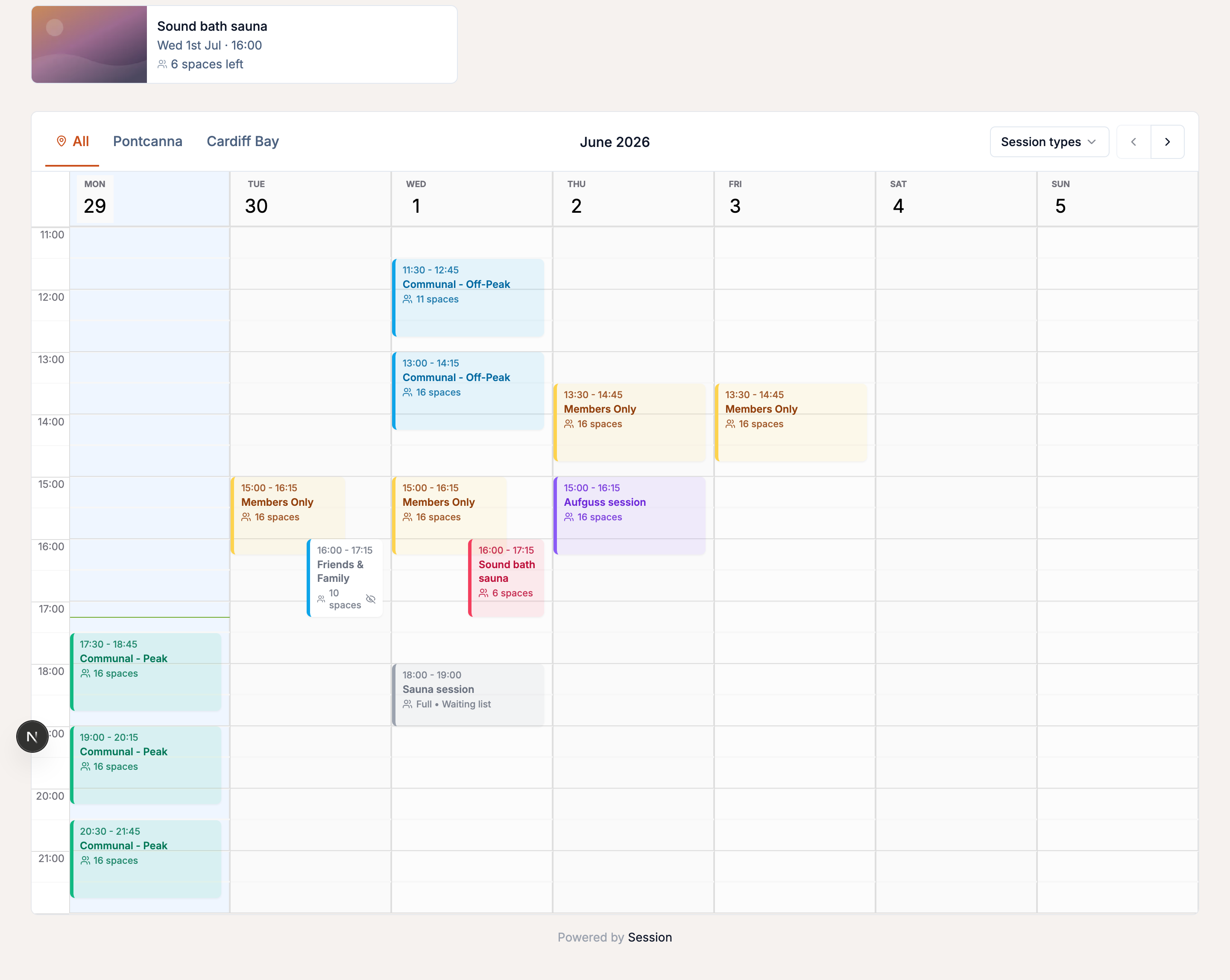
Built for sessions, not appointments
- Sell spaces in a shared session, with overbooking prevention built in.
- Offer private hire of the whole room and group bookings, each capped to real capacity.
- Price shorter and longer slots that share the same space, such as 30 and 60 minutes on one session.
- Collect digital waivers at checkout, including per-guest signing for groups, and verify them at check-in.
What you can do with Session
- Schedule sessions - recurring schedules, one-off events, per-date overrides, a booking window and minimum notice, and waiting lists that notify customers when a space opens.
- Take payments - card, Apple Pay and Google Pay through your own Stripe account, with price options, add-ons, discount codes and in-app refunds and reschedules.
- Sell offers - memberships with included sessions and member rates, bundles and gift vouchers.
- Manage bookings - your team can manage and add bookings and check people in; customers manage their own, even without an account.
- Run the business - reports, admin and staff roles, CSV exports, imports and integrations.
Your booking page
Customers book and pay without an account, under your logo and colours. You can run multiple locations from one account, print a QR poster, and let customers install the page as an app.
Pricing
Session is free to set up, with no subscription and no card needed to start. There's a 0.5% platform fee per paid booking, capped each month, plus Stripe's own card fee - see what it costs. Card payments go straight into your own Stripe account. Community and non-profit saunas can ask about a partnership deal through the Community Sauna Network.
How to get started
- 1
- 2
- 3Work through the going-live checklist and share your booking link.
Switching from another system? Import bookings, customers and vouchers from Acuity or any CSV, TSV or Excel export; moving from Periode has its own guided switch.
Common questions
-
Who is Session for? Operators of saunas or other venues where several people book the same slot. You run it as an admin, and your team can help as staff.
-
Do my customers need an account to book? No. Guests can book, pay and manage their booking through a secure link in their confirmation email.
-
Can I take payment in person? Yes. Record an offline payment when a customer pays by card machine or cash.
-
Does it work outside the UK? Yes, with other countries, currencies and timezones - see international settings.